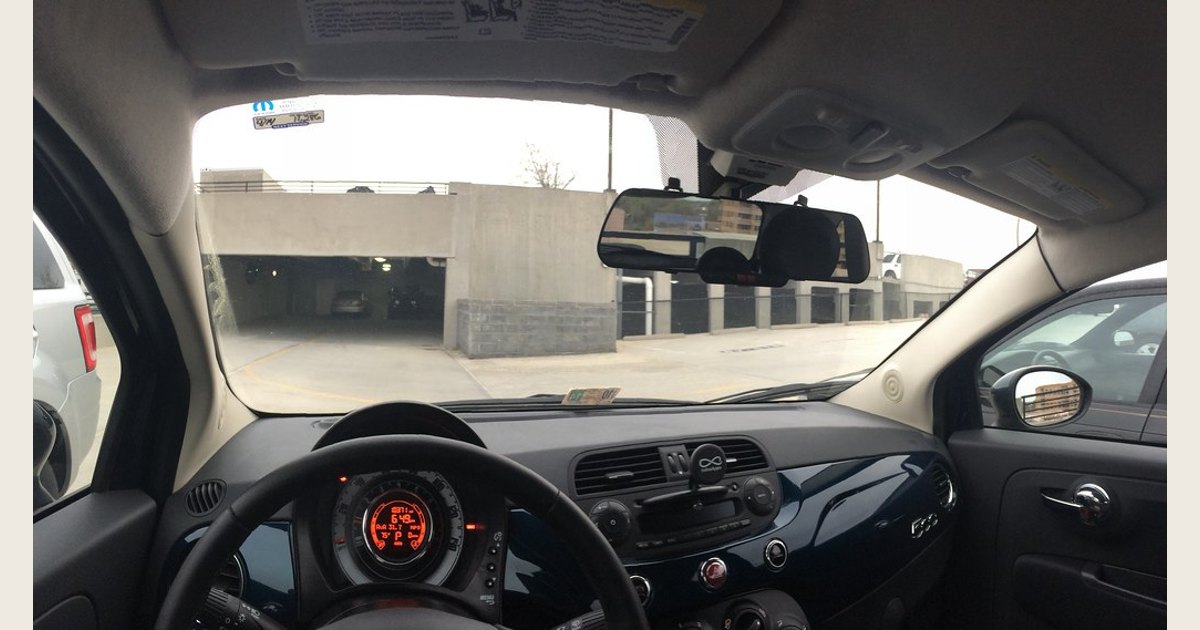
A good dash cam is not simply the one with the biggest resolution number or longest feature list. Choose one that gives you the coverage you need, captures a usable view in your normal driving conditions, keeps recording without constant attention, and can be powered the way you intend to use it.
For most drivers, the priority order is simple: coverage, video you can actually use, dependable storage and loop recording, event protection, and a realistic parking-mode plan. GPS, app tools, voice control, and 4K can be useful, but they should not distract from those basics. A dash cam can help document an event. It cannot guarantee that every detail will be clear in every angle, weather condition, or lighting situation.
Featured image credit: Photo: Fiat 500 with E-Prance (Novatek) rearview mirror dashcam by brownpau. CC BY 2.0. Resized and padded. Illustrative stock photo; no product testing is implied.
Quick answer (TL;DR)
- Start with the views you need: front-only is the simplest setup, while rear and interior cameras solve different coverage problems.
- Treat resolution and a wide field of view as starting points, not proof that a camera will capture every important detail.
- Confirm how loop recording, manual file protection, and impact-triggered protection work before buying.
- Buy the exact microSD card type and speed class the camera maker specifies, then check and maintain it as part of ownership.
- Parking mode is a separate power and installation decision, not just a menu setting.
- Decide whether GPS, audio, Wi-Fi, cloud, and app features serve a real purpose for you before trading privacy and simplicity for them.
Start with the kind of coverage you need
The best camera layout depends on what you are trying to document.
| If you mainly want to document… | Start by considering… | Tradeoff to expect |
|---|---|---|
| Traffic ahead and incidents in front of the car | A front-facing camera | The area behind the vehicle is not recorded. |
| Rear-end incidents or activity behind a parked car | A front-and-rear system | Rear-camera routing and installation add work. |
| The vehicle cabin as well as the road | An interior or three-channel system | Cabin video adds privacy considerations and another view to manage. |
A front camera is often enough for a driver who wants a simple record of the road ahead. Add a rear view if rear coverage is a priority. An interior camera can make sense when the cabin itself needs to be documented. If you are comparing that option, see our guide to front, rear, and interior coverage in a three-channel dash cam.
Do not confuse a very wide lens with complete coverage. A wide view can show more of the scene, but it also needs to be aimed well. Look at how the camera mounts, where the rear unit will go, and whether the display, camera body, or cables will interfere with your view or normal controls. Before committing, review where to place a dash cam on the windshield and follow the camera and vehicle instructions.
Physical fit and a clear mounting location are buying criteria, not afterthoughts.
Photo: Dash cam by chascow. CC BY 2.0. Resized and padded. Illustrative stock photo; no product testing is implied.
Look past the resolution label
Resolution is worth comparing, but it is only one specification. Lens angle, exposure handling, windshield reflections, motion, and the distance to the subject all affect the detail in a recording. The useful question is not “Does it say 4K?” It is “Can I view a sample clip from a comparable setup and see the road scene I care about?”
Compare the camera’s stated resolution and frame-rate options, then examine unedited sample footage in daylight and at night. If you frequently drive at dawn, in rain, or on unlit roads, give those conditions extra weight. Night footage has real limits: bright headlights, dark areas, glare, and movement can all make detail harder to recover. Keep expectations realistic instead of assuming a marketing label such as “night vision” makes every scene equally clear.
For a concrete example of why specifications should be read together, Nextbase lists its 522GW at 1440p/30 fps or 1080p/60 fps with a 140-degree viewing angle on its official product page. Those numbers help compare options, but they do not replace reviewing the actual camera’s settings, mounting position, and sample footage.
Make sure recording and storage are dependable
A dash cam is only useful if it is recording when you need it. Ask these questions before purchase:
- Does it loop record? Loop recording replaces older, unprotected clips when storage fills. That is useful only when the camera clearly distinguishes ordinary clips from clips you deliberately need to keep.
- How are important clips protected? Look for a simple manual save control and a documented impact-detection feature. On the 522GW, for example, Nextbase says ordinary footage is overwritten when storage fills while G-sensor events and manual File Protect actions retain clips. Treat that as a model-specific example, and verify the behavior for the camera you are considering. Our explanation of dash-cam loop recording and G-sensor clip protection can help you evaluate those settings.
- Which card does the maker require? Do not buy a card on capacity alone. The SD Association says video recording needs a constant minimum write speed to avoid dropped frames, and its class symbols indicate minimum writing performance. It recommends matching a device’s marked class with the same or a higher class within that marking system. See the SD Association’s Speed Class guide for the distinctions among Speed Class, UHS Speed Class, and Video Speed Class.
Also check the manufacturer’s supported capacities and formatting instructions. The SD Association notes that fragmentation can affect write speed, so moving saved clips off the card and formatting it as instructed can be a sensible maintenance step. Never format a card until you have copied any footage you need.
Treat parking mode as a power decision
Parking mode is valuable only if the camera has power while the vehicle is parked and the setup can do that safely within the product instructions. Some cameras detect an impact while parked; others use additional modes or accessories. Do not assume every camera can provide continuous parked coverage using only the cable supplied in the box.
Nextbase describes its 522GW’s Intelligent Parking Mode as impact-triggered while parked and recommends hardwiring for extended operation on its product page. That is not a universal instruction for every dash cam or vehicle. Before buying, determine whether you want occasional impact capture or a broader parked-recording plan, then check the camera maker’s compatible power options and vehicle-specific installation guidance. If hardwiring is beyond your comfort level, use a qualified installer.
Choose connected features deliberately
GPS can attach location and speed data to clips. Wi-Fi or Bluetooth can make it easier to view and transfer footage with a phone. Voice control, cloud storage, and emergency features may also be appealing. These features can be worthwhile when you will actually use them, but they increase the number of settings, permissions, and accounts to manage.
First, check whether GPS and audio can be turned off if you do not want them recorded. Next, make sure you can retrieve a file without relying on a single app feature or subscription. Finally, practice downloading a test clip before an incident occurs. The 522GW’s published features illustrate the tradeoff: it includes GPS and app transfer tools, but those benefits matter only if you are comfortable configuring and using them.
For any dash cam that connects to an app or account, keep its software current when updates are available. This is general connected-device advice, not dash-cam-specific guidance: CISA’s Secure Our World campaign advises people not to delay software updates because flaws can expose files or accounts. Review the manufacturer’s update notes and settings rather than installing changes blindly.
Check the everyday ownership details
Small details can decide whether a dash cam remains useful after the first week. Before you buy, confirm:
- the camera’s operating-temperature guidance for the conditions where you park;
- the type of mount and whether it can be removed when needed;
- the power connector and cable-routing plan;
- whether a rear camera, hardwire kit, or memory card is included or separate;
- how you adjust exposure, audio, GPS, sensitivity, and clip length;
- where the maker publishes manuals, firmware, and app support; and
- how you will periodically verify that recording is working.
A small screen can make aiming and playback easier. A screenless model may be more discreet, but it can shift more setup and troubleshooting to a phone app. Neither approach is automatically better. Pick the one that matches how willing you are to use menus at the vehicle and on your phone.
A practical buying process
Use this short sequence to narrow the field without getting pulled into a feature checklist.
- Write down the coverage you need and whether parked recording is essential.
- Settle on front-only, front-and-rear, or cabin coverage before comparing resolution labels.
- Read the manual or support page for the exact camera, especially its memory-card, power, and parking-mode requirements.
- View daylight and nighttime sample clips from that model, while remembering that sample conditions may differ from your own.
- Confirm the total setup: camera, card, rear unit, power accessory, and installation plan.
- After installation, verify the date, time, aiming, saved-event behavior, and clip retrieval process with a short test recording.
Troubleshoot the basics before relying on it
If a camera seems unreliable, check the simplest causes first. Confirm that it powers on with the vehicle, the lens and windshield area are clean, the memory card meets the maker’s requirements, and the date and time are correct. Review whether the card is full of protected clips, whether sensitivity is set in a way that creates too many saved events, and whether the camera needs the manufacturer-recommended format process.
If you cannot retrieve a clip, do not wait for an emergency to learn the app. Try playback, download, and manual file protection during a routine drive. Keep a copy of the manual or official support link with your vehicle records. A dash cam is most effective when its viewing angle, recording settings, power source, and storage routine have all been tested before you need them.
A dash cam is worth buying when it fits the way you drive and you are prepared to maintain it. For the broader value question, read whether a dash cam is worth it for your situation.