The short answer
For most families, the best dash cam for a teenage driver is a simple front-facing camera that records reliably and makes clips easy to save and retrieve. Add a rear camera for broader traffic coverage. Treat interior video, GPS, and parking mode as optional choices with privacy, data, or installation tradeoffs.
A dash cam documents events; it is not a safety system or a substitute for practice, seat belts, passenger limits, and state licensing rules. That distinction matters. IIHS reports that teen drivers’ crash rate per mile is more than four times that of drivers age 20 and older. It identifies inexperience, risky habits, passengers, and night driving as important concerns (IIHS teen-driver research). Choose a camera to support a calm safety routine—not as a tool for catching every mistake.
Key takeaways
- Start with coverage: front-only is the practical baseline; front-and-rear is the stronger all-around setup; an interior camera is a privacy-sensitive choice.
- Prioritize dependable recording, an easy way to find and save clips, and a placement that does not obstruct the driver’s view.
- Decide in advance whether GPS speed and location data fit your family rules. Do not assume every camera lets you change those settings in the same way.
- Treat parking mode as an installation decision, not a free extra feature. It may need a hardwire or OBD-II power connection.
- Agree on when footage will be reviewed and when it will not. A shared safety agreement works better than vague surveillance.
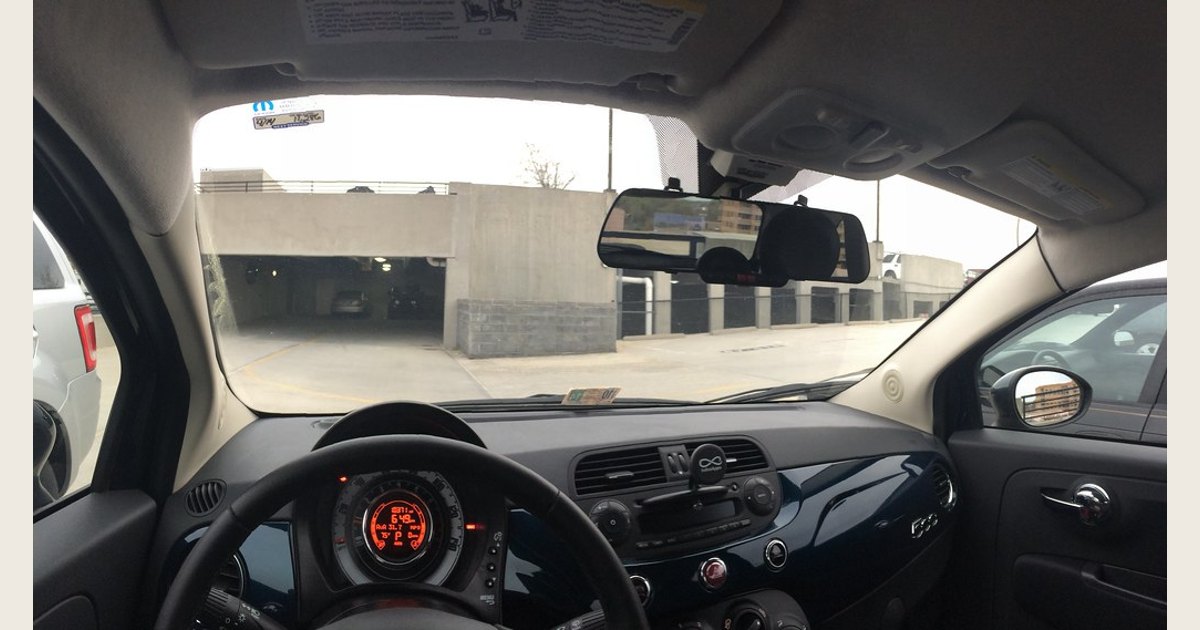
Featured image credit: Photo: Fiat 500 with E-Prance (Novatek) rearview mirror dashcam by brownpau, https://www.flickr.com/photos/44124483743@N01/13859656274; https://creativecommons.org/licenses/by/2.0/. Resized and padded. Illustrative stock photo; no product testing is implied.
How this guide evaluates options
This is a parent buying framework, not a hands-on product ranking. It draws on IIHS teen-driver safety guidance and manufacturer documentation for the model-specific THINKWARE U3000 examples below. These examples illustrate features and tradeoffs, not endorsements. Verify the features, installation compatibility, and data settings of the exact camera you are considering.
Match the camera layout to the reason you are buying it
There is no universal “best” configuration. Begin with the event you most want documented, then remove features that do not serve that purpose. More lenses can add context, but they also add wiring, settings, file management, and—in the case of a cabin camera—more personal information.
| Configuration | Makes sense when | Main advantage | Main tradeoff to discuss before buying |
|---|---|---|---|
| Front-only | You want a low-fuss record of what happens ahead of the car | Simplest installation and the fewest files to manage | It will not show activity behind or inside the vehicle |
| Front-and-rear | The teen drives highways, busy parking lots, or congested streets | Adds rearward context without filming passengers | The rear camera needs routing and mounting; check that it suits the vehicle’s rear glass or hatch |
| Front, rear, and interior | You need a complete record for a specific family or vehicle-use reason | Can show what was happening in the cabin as well as outside | Interior video and audio create a meaningful privacy decision for the driver and passengers |
Front-and-rear is a balanced option when budget and installation allow; it adds traffic context without routinely filming the cabin. Add an interior camera only for a clear reason, with rules for access. See our 3-channel dash cam guide for the tradeoffs.
Features worth paying attention to
If you want a concrete model to compare with other options, the THINKWARE U3000 illustrates several tradeoffs discussed here. The manufacturer lists front-and-rear bundles, parking surveillance requiring hardwiring or a compatible OBD-II cable, and connected features that can show location and route history when the camera has internet access. It is an example, not a tested winner or a universal recommendation. Check current availability, bundle contents, vehicle compatibility, and privacy settings directly with the maker (THINKWARE U3000 details).
Compare footage and the full setup—not just the resolution label
If sample footage is available, compare unedited clips from similar conditions, especially at night and with oncoming-headlight glare. Check whether useful scene details remain visible; a resolution number or “night vision” label alone does not show how a camera performs in every situation. This is a way to compare candidates, not a promise that any camera will capture every detail.
Before buying, check the exact model’s manual for its operating-temperature range, supported memory-card type and capacity, and formatting or replacement guidance. Include the compatible card in your budget, along with any rear-camera hardware, installation labor, and parking-mode power cable. Connected features may add a hotspot or data costs: THINKWARE says the U3000’s connected features need an internet-enabled hotspot or Wi-Fi, and carrier charges may apply; its parking functions require hardwiring or a compatible OBD-II cable (THINKWARE U3000 details).
Reliable recording and clip protection come first
Do not let a long feature list distract from the basic job: recording a usable file and retaining the relevant part of an event. Read the manual for how the camera divides recordings into clips, what happens when the card fills, and how it marks or protects files after an impact. Those details determine whether a useful clip is still available when you need it.
A G-sensor is commonly used to detect an impact and flag footage, but it is not a guarantee that every bump is classified perfectly. Learn how the setting works, how to manually save a clip, and whether sensitivity can be adjusted. For a plain-language explanation, see how dash-cam G-sensors protect footage. It is also worth understanding loop recording before relying on the camera as a record of an earlier drive.
Check the manual for supported card type and capacity, formatting steps, and what happens when storage fills or errors. Before buying, confirm that you can find and save a clip while parked without guesswork. A monthly status check is more useful than settings no one verifies.
GPS is a separate family decision
GPS can associate footage with trip location, time, and sometimes speed. That can be useful when reconstructing an incident, but it also creates a more detailed record of a teen’s movements. The right answer depends on the family agreement, not on whether the feature sounds advanced.
Ask these questions before purchase:
- Does this specific camera record location or speed by default?
- Can those details be turned off, hidden, or limited in exported video, and what does the manual actually say?
- Who can access the app, memory card, and any connected account?
- How long will the family keep ordinary footage, and what is the reason for keeping it?
THINKWARE says its U3000 connected service can provide vehicle location and route history. Internet-connected features need a hotspot or Wi-Fi network with internet access, consume data, and may incur carrier charges (THINKWARE U3000 documentation). Other cameras may handle data differently, so check the exact model’s requirements.
Parking mode is useful only when the power plan is sound
Parking monitoring can record or react to an impact or motion after the ignition is off. It may be helpful for a car parked at school, work, or on the street, but it is not simply a menu setting. The power connection, the vehicle, the camera, and the selected recording mode all matter.
For example, THINKWARE states that its U3000 parking-surveillance and radar parking functions require either hardwiring or its compatible OBD-II cable; its included 12-volt cable is for normal power (THINKWARE U3000 documentation). This is a model-specific example, not a rule for every camera. Verify the exact requirements for the model you are considering, including any low-voltage protection and the installation method approved for your vehicle.
If you do not want a permanent power installation, it is reasonable to skip parking mode and focus your budget on dependable driving footage. A well-chosen front or front-and-rear camera is still useful without it.
Set expectations before the first drive
The most productive use of a teen’s dash cam is occasional coaching around a specific question: What happened, what was hard to see, and what would make the next drive safer? It should not become a substitute for communication or an automatic punishment machine.
Before the first drive, make a simple family agreement about the camera’s purpose and boundaries. Agree on whether interior audio or video is enabled, who can view footage, and what happens after an incident. Parents can also reinforce graduated-licensing principles with practice, passenger limits, and night-driving rules; IIHS notes that parents can apply those model-GDL principles even where state laws are less restrictive (IIHS guidance for parents of teen drivers).
A simple family plan might be:
- Review the camera’s status light or startup message before leaving the driveway.
- Stop safely before using the camera or phone app; never search for a clip while driving.
- After a crash or near miss, save the original file promptly and note the date, time, and location separately.
- Review footage only for the agreed safety purpose, not to score every normal trip.
- Revisit the plan if the teen’s routes, passengers, or driving privileges change.
Install, test, and maintain it
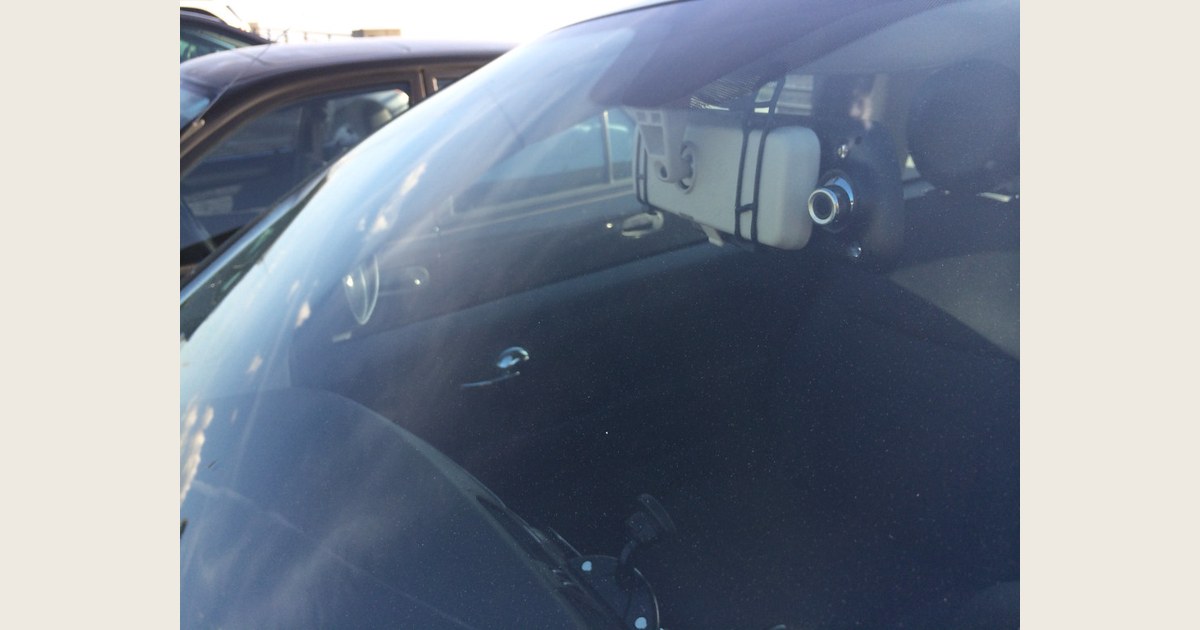
This exterior perspective shows a mirror-mounted camera from outside the windshield, complementing the featured image’s interior view. It illustrates one mounting style only; it does not establish a safe or legal placement. Follow the camera and vehicle manuals and check local rules. Photo: E-Prance Rearview Mirror Dashcam (exterior view) by brownpau, CC BY 2.0, resized and padded. Illustrative stock; no product testing implied.
A good camera cannot help if it is aimed at the dashboard, blocked by a mirror or tint strip, or unable to write to its card. Before permanently attaching anything, power it temporarily and check the live view or a short sample recording. Confirm that the view captures the road without obstructing the driver’s forward view or interfering with vehicle cameras and sensors. Follow the camera instructions, vehicle manual, and applicable local rules. For more placement considerations, read where to place a dash cam.
Then run this practical test:
- Start the vehicle and verify that recording begins.
- Record a short daytime sample, park safely, and play it back on the method you expect to use.
- Confirm the date and time are correct.
- Practice manually saving or exporting a noncritical clip while parked.
- If a rear camera is installed, inspect its field of view after closing the hatch or trunk.
- Put a recurring reminder on the calendar to check footage and follow the manufacturer’s card-maintenance instructions.
If the camera is not recording, begin with the simple checks: power connection, seating of the memory card, storage/card warnings, and the manufacturer’s formatting steps. Do not assume an app connection proves that the camera has saved usable video.
The practical buying checklist
Choose the camera that gives your family the smallest number of unanswered questions:
- Coverage: Do you need front-only, front-and-rear, or a justified interior view?
- Retrieval: Can an adult and teen both find and save a clip without guesswork?
- Privacy: Are GPS, audio, interior video, app access, and retention rules understood?
- Power: Is ordinary driving enough, or is parking mode truly worth an installation?
- Fit: Does the mount work with this windshield, rear window, mirrors, tint, and vehicle sensors?
- Maintenance: Are the card, firmware, and periodic test routine manageable?
The best dash cam for a teenage driver is ultimately the one with coverage your family will use, settings your teen understands, and a clear agreement that keeps the focus on safer driving. For a broader decision about whether a camera makes sense for the household at all, see Is a Dash Cam Worth It?.